Telegram has grown past 1 billion monthly active users, which means the occasional spammer, scammer, or abusive account is unavoidable. The good news is that reporting is built into the app and takes only a few taps once you know where to look.
Reporting works differently depending on whether you are dealing with a public message, a private chat, a whole group or channel, or a bot. This guide walks through each path with the current 2026 menus, plus the official bots and email addresses for the cases the app cannot handle on its own.
How Reporting Works on Telegram
When you report content, it is forwarded to Telegram's moderation team for review. Telegram combines those user reports with automated and manual checks, and a human moderator signs off on any serious restriction.
The person you report is not notified, and your identity stays private. If moderators agree the content breaks Telegram's Terms of Service, they may remove it, limit the account, or ban it outright.
One important limit shapes everything below. You can report messages and content inside public groups and channels directly, but Telegram does not offer a one-tap "report" button for an individual person inside a normal one-on-one private chat. For private abuse you use blocking plus the spam report, an official bot, or email instead.
How to Report a Message in a Group or Channel
This is the most direct method and works for any message you can see in a public group or channel. The exact gesture depends on your device.
- 1.Open the group or channel that contains the message.
- 2.On Android, tap the message. On iPhone or iPad, press and hold it. On Desktop or Web, right-click it.
- 3.Select Report from the menu.
- 4.Choose a reason such as spam, violence, child abuse, pornography, illegal goods, or personal details, then submit.
You can usually select more than one message at a time before reporting, which is useful when an account floods a group with the same content. If you are reporting illegal content in the European Union, Telegram may ask you for extra details, including your contact information and why the content is illegal.
How to Report a User Account
To report an account itself rather than a single message, open its profile. This is the route for impersonation, repeated harassment, or a scam profile.
- 1.Open the chat or search for the user and tap their name or profile photo at the top.
- 2.Tap the menu, shown as three dots on Android or "..." on iPhone and Desktop.
- 3.Select Report.
- 4.Pick the reason that fits and confirm.
If the profile does not show a Report option, the abuse most likely happened in a private one-on-one chat. In that case use the block and report method in the next section, or one of the official bots further down.
How to Block and Report in a Private Chat
Blocking gives you immediate protection while moderators review anything you report. A blocked user cannot message or call you, and they are not told they have been blocked.
When a stranger messages you, Telegram often shows quick Block and Report Spam buttons at the top of the chat. Tapping Report Spam blocks the account and sends the messages to moderators in one step.
You can also block from the profile at any time:
- 1.Open the chat and tap the user's name or photo at the top.
- 2.Tap the three-dot or "..." menu.
- 3.Select Block User and confirm.
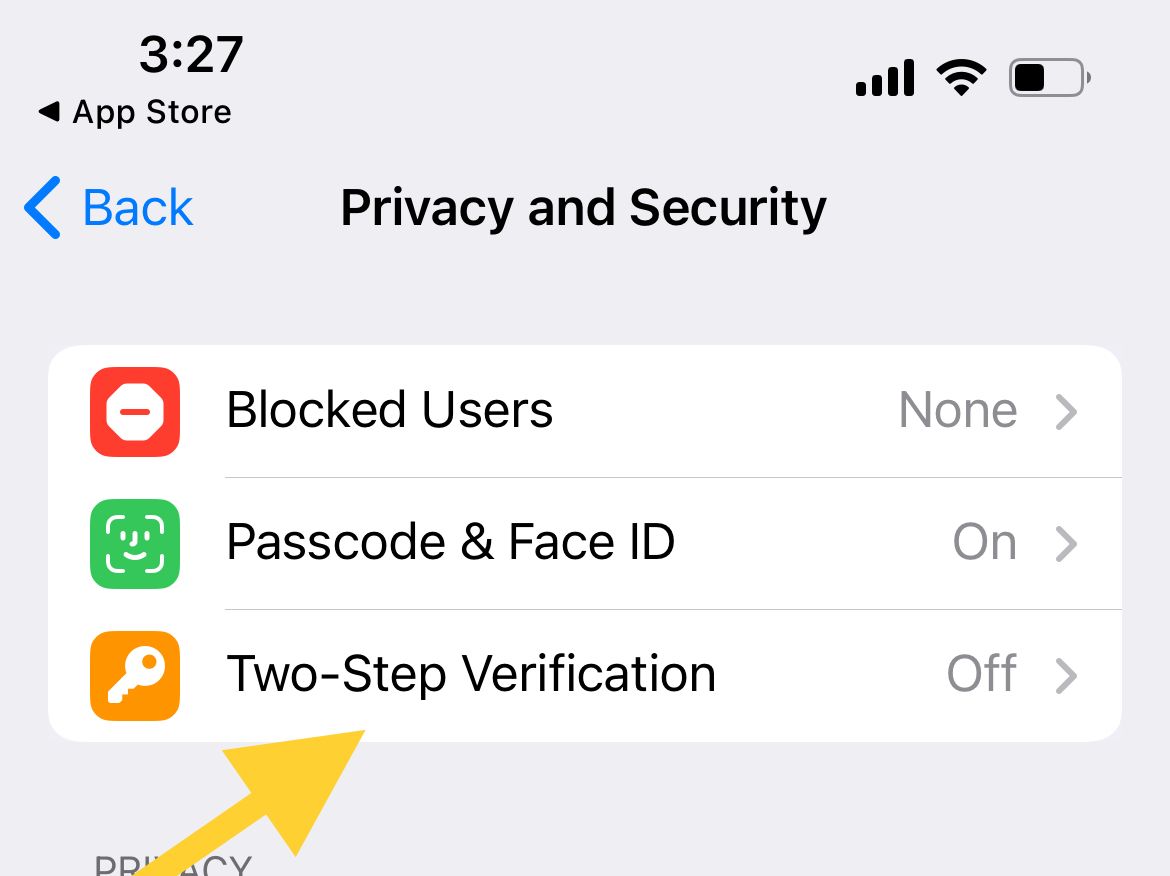
Keep in mind that blocking only stops private messages and calls. If the same person posts in a shared group, you can still see and report their messages there using the group method above.
How to Report a Group, Channel, or Bot
Entire groups and channels that break the rules can be reported from their header. Bots follow the same pattern, so the steps below cover all three.
- 1.Open the group, channel, or bot.
- 2.Tap the name or profile photo at the top to open the info screen.
- 3.Tap the three-dot or "..." menu and choose Report.
- 4.Select a specific reason and submit.
For a bot that is spamming or behaving maliciously, reporting it from its profile is the fastest way to flag it. You can also stop a bot immediately by blocking it from the same menu.
Official Bots for Scams and Spam
Telegram runs official bots for situations the standard report flow does not cover well. Search carefully and choose the verified result with the blue checkmark, since scammers create copycat bots with similar names.
For impersonation and scam accounts, use @notoscam. Start a chat with it, then send the scammer's username or link along with a clear description and any evidence such as screenshots.
There is a common myth worth clearing up. @SpamBot is not for reporting other people. It exists so that a user whose own account has been limited for spam can appeal that restriction. If your account was wrongly limited, message @SpamBot to request a review.
When to Email Telegram
For complex cases, or when you need to attach detailed evidence, email is the right channel. Send a clear description plus screenshots and direct links to the offending profile or messages.
- [email protected] for general abuse, harassment, and scams.
- [email protected] for child abuse material, which Telegram treats with priority.
- [email protected] for copyright and intellectual property complaints.
Email does not require you to be active in the chat, so it works even after you have blocked the account. The more specific and well-documented your message, the faster the team can act.
What Happens After You Report
Once a report reaches moderators, they check the content against Telegram's Terms of Service and community guidelines. Telegram blocks tens of thousands of groups and channels and removes millions of pieces of content every day, so genuine violations are acted on regularly.
Depending on the severity, the outcome can range from removing the specific content to warning, temporarily limiting, or permanently banning the account. A first-time spammer is typically limited for a few days, while repeat offenders face longer or permanent restrictions.
Response times vary, and you will not always get a notification about the result. For threats, fraud with financial loss, or other illegal activity, report to your local law enforcement as well, since Telegram's action does not replace a criminal complaint.
Other Safety Settings Worth Using
A few built-in settings reduce how often you need to report anyone in the first place. They are all found under your Telegram privacy controls.
Tighten who can reach you by limiting who can add you to groups, see your phone number, or call you. Restricting these to My Contacts cuts down on cold spam from strangers.
Turn on two-step verification for account security, and use secret chats with end-to-end encryption for sensitive conversations. Auto-delete timers can also clear messages after a set time so old threads do not linger.
Settings > Privacy and Security
Frequently Asked Questions
Does the person know when I report them on Telegram
No. Reporting is confidential, and Telegram does not notify the user that you reported or blocked them.
Why is there no Report button in my private chat
Telegram does not offer a one-tap report for individual messages in a normal one-on-one chat. Use the Block and Report Spam buttons, the @notoscam bot for scams, or email [email protected] for account-level abuse.
Can I report someone using @SpamBot
No. @SpamBot only handles appeals from users whose own accounts were limited for spam. To report another person, use the in-app Report option, @notoscam, or the abuse email.
What reasons can I choose when reporting
Typical reasons include spam, violence, child abuse, pornography, illegal goods, and sharing personal details. The exact list depends on what you are reporting and your app version.
How long does Telegram take to act on a report
There is no fixed timeline. Automated checks can be fast, while human review of serious cases takes longer, and you may not receive a result notification.
Should I also contact the police
Yes, for threats, fraud involving money, or other illegal activity. Reporting inside Telegram does not replace filing a report with local law enforcement.
First published October 15, 2025. Last updated June 4, 2026.